Minecraft Game on Mobile Devices
Jul 29, 2026
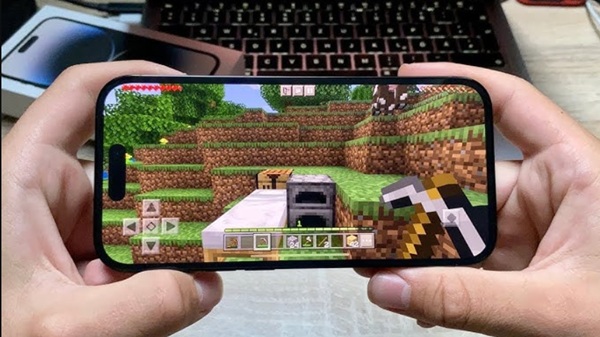

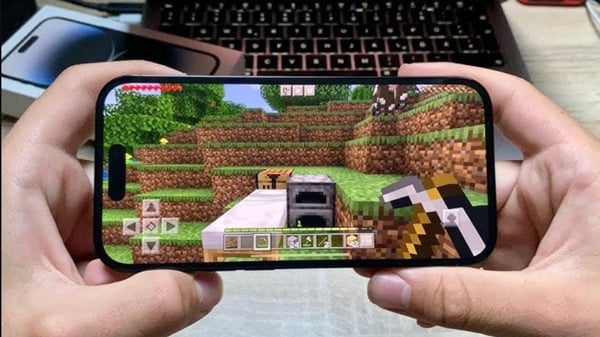
How to Play the Minecraft Game on Mobile Devices is a question many new players ask before starting their first adventure. The mobile version of Minecraft delivers the same exciting sandbox experience found on PC and consoles, allowing you to build impressive structures, gather resources, craft useful items, and survive against dangerous creatures. With intuitive touch controls and cross-platform multiplayer, playing Minecraft on a smartphone or tablet has never been more enjoyable.
Why Play Minecraft on Mobile?
Minecraft's mobile edition is perfect for gaming on the go. Whether you're waiting for a bus or relaxing at home, you can jump into your world and continue building or exploring anytime. The Bedrock Edition also receives regular updates, ensuring players always have access to new blocks, mobs, and gameplay features.
Getting Started
To begin playing, download Minecraft from your device's official app store. After installing the game, sign in with your Microsoft account to enable cloud saves and multiplayer features.
Once you launch the game:
- Tap Play.
- Create a new world.
- Choose your preferred game mode.
- Customize your world settings.
- Start your adventure.
Pick Your Favorite Game Mode
Survival Mode
Survival Mode challenges players to collect materials, craft equipment, build shelters, and defend themselves from hostile mobs. Managing health and hunger is essential for long-term survival.
Creative Mode
Creative Mode removes survival limitations by providing unlimited resources. You can fly freely and build anything you imagine without worrying about enemies or collecting materials.
Master the Touch Controls
Minecraft mobile features an easy-to-learn control system:
- Use the virtual joystick to walk.
- Swipe the screen to change your view.
- Tap blocks to place them.
- Hold your finger on blocks to mine them.
- Access your inventory using the inventory button.
After a short time, navigating the world becomes second nature.
Gather Resources Early
Your first objective should be collecting essential materials, including:
- Wood
- Stone
- Coal
- Food
- Wool
These resources allow you to craft better tools and prepare for your first night.
Build Your First Shelter
Before darkness falls, create a small house using wood, dirt, or stone. A simple shelter protects you from zombies, skeletons, spiders, and creepers while giving you a safe place to store valuable items.
Adding torches and a bed will make surviving much easier.
Craft Better Equipment
As you collect more materials, upgrade your tools from wood to stone, then iron and diamond.
Useful tools include:
- Pickaxe
- Axe
- Sword
- Shovel
- Hoe
Better equipment lets you gather resources faster and defeat enemies more effectively.
Explore Different Biomes
Minecraft worlds contain diverse environments, each with unique resources and wildlife.
Popular biomes include:
- Forests
- Deserts
- Snowy Mountains
- Jungles
- Oceans
- Swamps
- Plains
Exploring these areas helps you discover villages, temples, caves, and hidden treasures.
Play Online with Friends
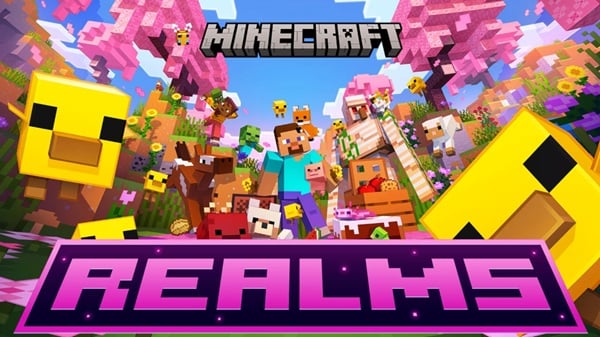
Minecraft Bedrock Edition supports multiplayer across multiple platforms. Invite friends into your world, join public servers, or create a Realm for a private adventure. Cooperative gameplay makes building large projects and exploring dangerous areas even more exciting.
Helpful Tips for Beginners
If you're just starting, these tips can make your journey easier:
- Never dig straight down.
- Always carry extra torches.
- Cook food before eating it.
- Keep valuable items inside chests.
- Sleep at night whenever possible.
- Bring spare tools when mining.
Conclusion
Learning How to Play the Minecraft Game on Mobile Devices is straightforward once you understand the basic mechanics. Start by gathering resources, crafting essential tools, and building a safe shelter before expanding your world through exploration and creativity. With regular updates, multiplayer support, and endless possibilities, Minecraft on mobile offers an engaging experience for players of all ages.